⇄
Instant theme switching
Apply bundled, saved, and other installed Blender themes from one convenient menu.
 THE CYBERSTUDIOS ARCHIVE
CyberStudios ♡
One workspace. A hundred different moods.
Meet CyberStudios Theme Switcher, a little add-on for giving your Blender interface a personality of its own. Switch between installed themes, collect your favorites, paste custom theme code, and export your creations whenever you like.
From pastel cyberspace to dark, cozy workstations, your creative environment should feel just as personal as the things you make in it. ♡
The same Blender workspace, with a completely different atmosphere. Explore the bundled CyberStudios themes or bring your own favorites.
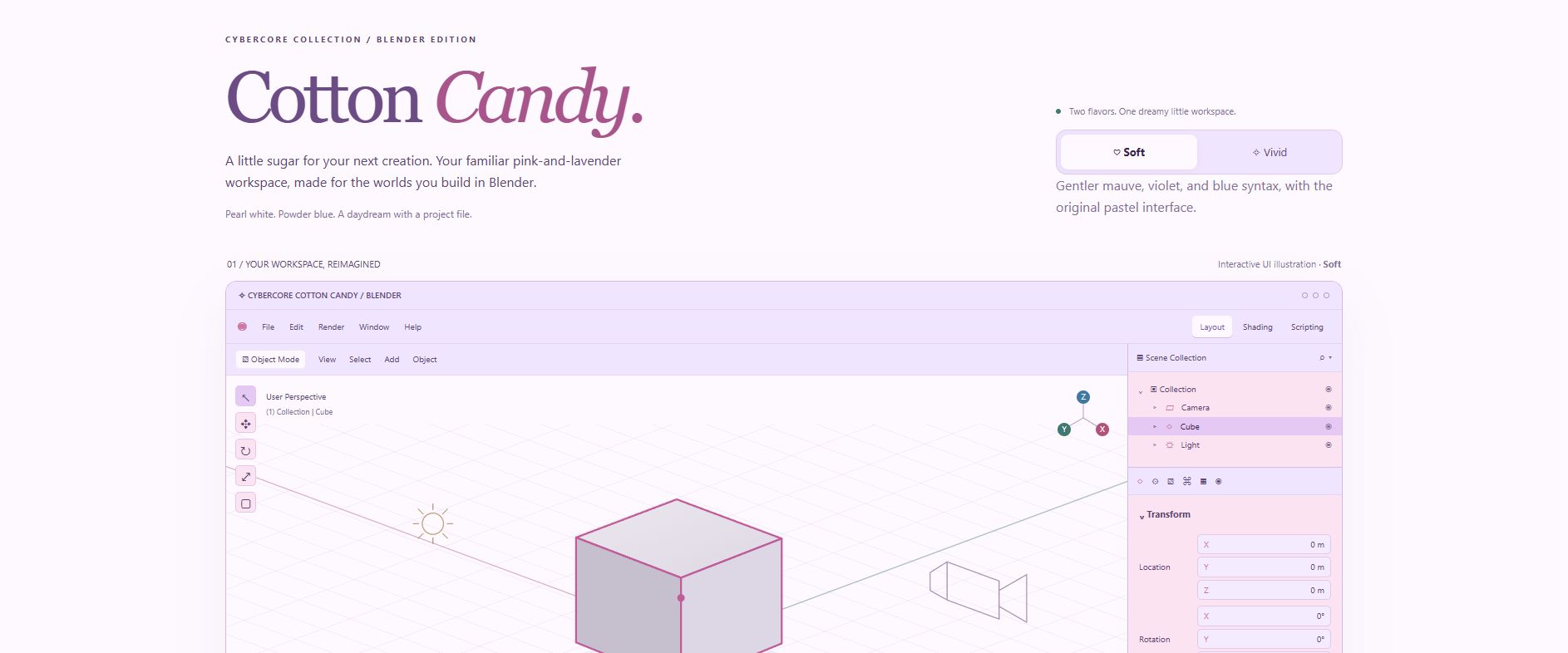
No digging through folders. No losing the perfect palette. Just you, your workspace, and the freedom to change things up.
Apply bundled, saved, and other installed Blender themes from one convenient menu.
Save custom themes under your own names and find them in My Saved Themes.
Copy compatible Blender theme XML, paste it from your clipboard, and save it as a reusable preset.
Bring in XML theme files and export copies of your favorite themes to your computer.
Copy a listed theme's code directly to your clipboard for safekeeping or sharing.
Already customized Blender? Capture your current interface theme as a named preset.
Twenty bundled themes to get you started. Sweet pastels, gentle lavender, darker workspaces, and a little something for whatever mood you're creating in.
The switcher also works with compatible themes you've installed separately. Your palette collection doesn't have to stop here.
✧ Explore the theme galleryDownload the packaged CyberStudios Theme Switcher ZIP from the official GitHub release. Keep the ZIP file intact.
In Blender, navigate to Edit → Preferences → Add-ons. Open the add-ons menu and select Install from Disk...
Select the downloaded ZIP file, install it, and enable CyberStudios Theme Switcher.
Go to Preferences → Themes and open the CyberStudios Theme Switcher menu to choose a theme.
For the complete manager, open the add-on entry in Blender's Add-ons preferences.
Copy valid Blender theme XML to your clipboard, enter a name in the add-on preferences, click Paste Theme Code, then Save Theme.
Your new preset will appear under My Saved Themes.
Select Import XML File,
choose a compatible .xml
file, confirm its name, and save it
to your personal collection.
Find the theme in the manager and select its Export icon to save a copy of its XML file to your computer.
Use Save Current Theme As... to preserve the theme Blender is currently using.
Personal themes are stored in the add-on's user data directory, separately from its bundled themes.
Your new Blender theme collection starts here. Free to download, customize, and explore.
BLENDER 4.2+ XML SUPPORT MIT LICENSEMade with ♡ by CyberStudios. Because your software should feel like your space, too.